dedup
Find the duplicates, decide for yourself.
A cross-platform desktop app that finds duplicate files by checksum and reads naming patterns to suggest which copy to keep. Nothing is deleted outright — flagged files go to the system trash, so every removal can be undone.
Version v1.0.4.261010 · macOS 12 or later · Apple Silicon and Intel
What it is
Most duplicate finders assume identical bytes mean one file is disposable. That is often wrong, and getting it wrong costs you data. dedup refuses to recommend a deletion it cannot defend.
It finds files that are byte-for-byte identical, reads their names for hints about which one is the copy, and when nothing settles it, hands the decision back to you. Everything you remove goes to the Trash, so Finder’s Put Back restores it.
Features
Safe by default
Files go to the system Trash, never deleted outright. Finder’s Put Back returns each one to where it came from.
Refuses to guess
When nothing in the names marks either file as the copy, both are flagged for your review and neither is recommended.
Links are never counted
Symlinks are skipped and hard links are labelled, so removing a second name for the same file never inflates the space you think you will free.
Cheap to scan
Files are grouped by size first, and a file whose size is unique is never opened. One real Downloads folder: 1,617 files scanned, 181 read.
Kind to iCloud
Placeholder files that live in the cloud are left alone, because reading one would download it. Skipped counts are always shown.
Quick or deep
Scan Desktop, Downloads and Documents in one click, or pick a whole disk, an external drive or any folder. Cancel mid-run or let it continue in the background.
Developer-aware
.git and node_modules are never entered, and .gitignore is respected inside a repository, so project folders do not drown in dependency noise.
Fully offline
Nothing leaves your Mac. No accounts, no telemetry, no network access.
Screenshots
01
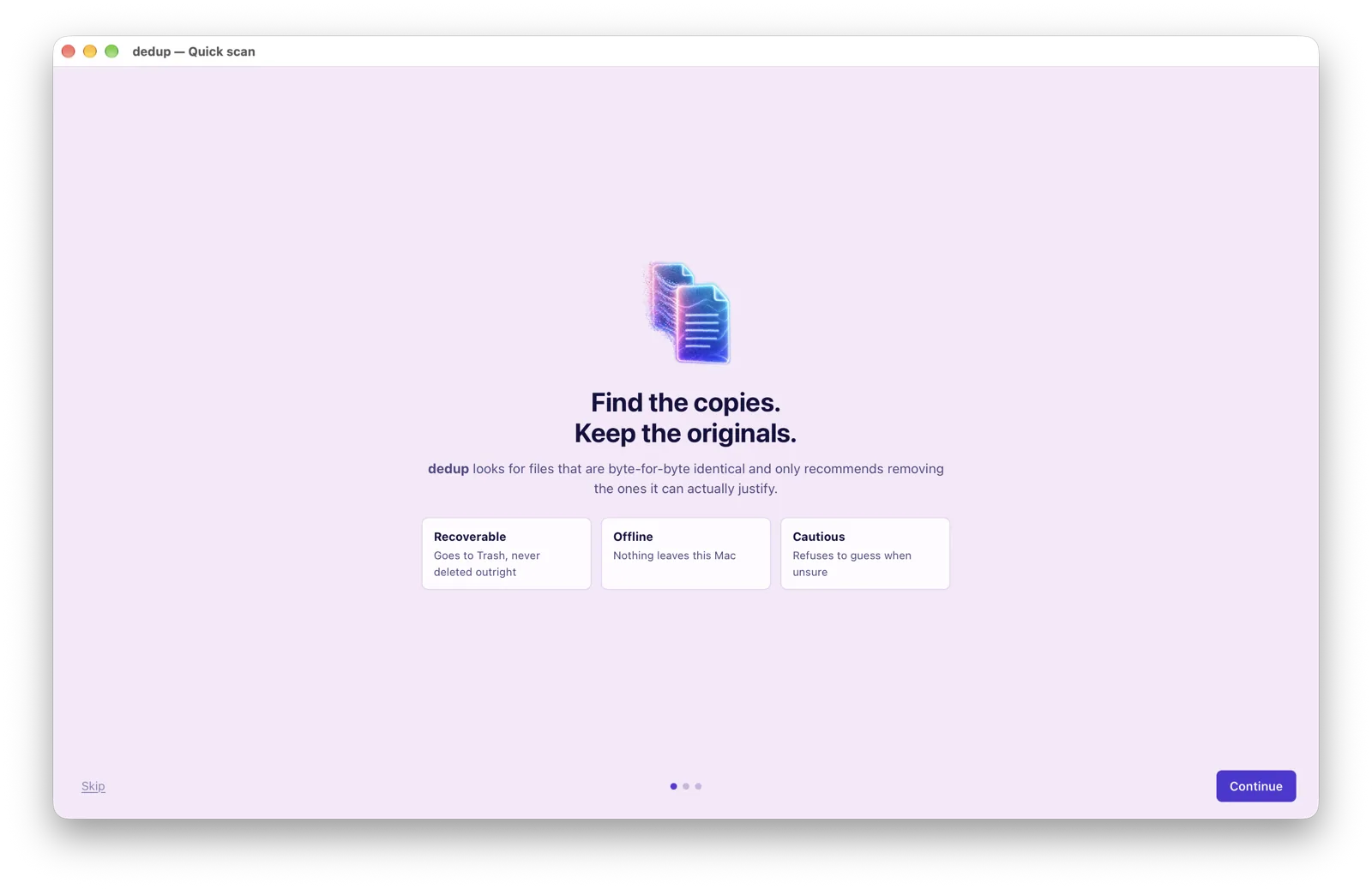
Find the copies. Keep the originals.
A short first-run tour sets expectations: removals are recoverable, everything stays on your Mac, and dedup would rather ask than guess.
02
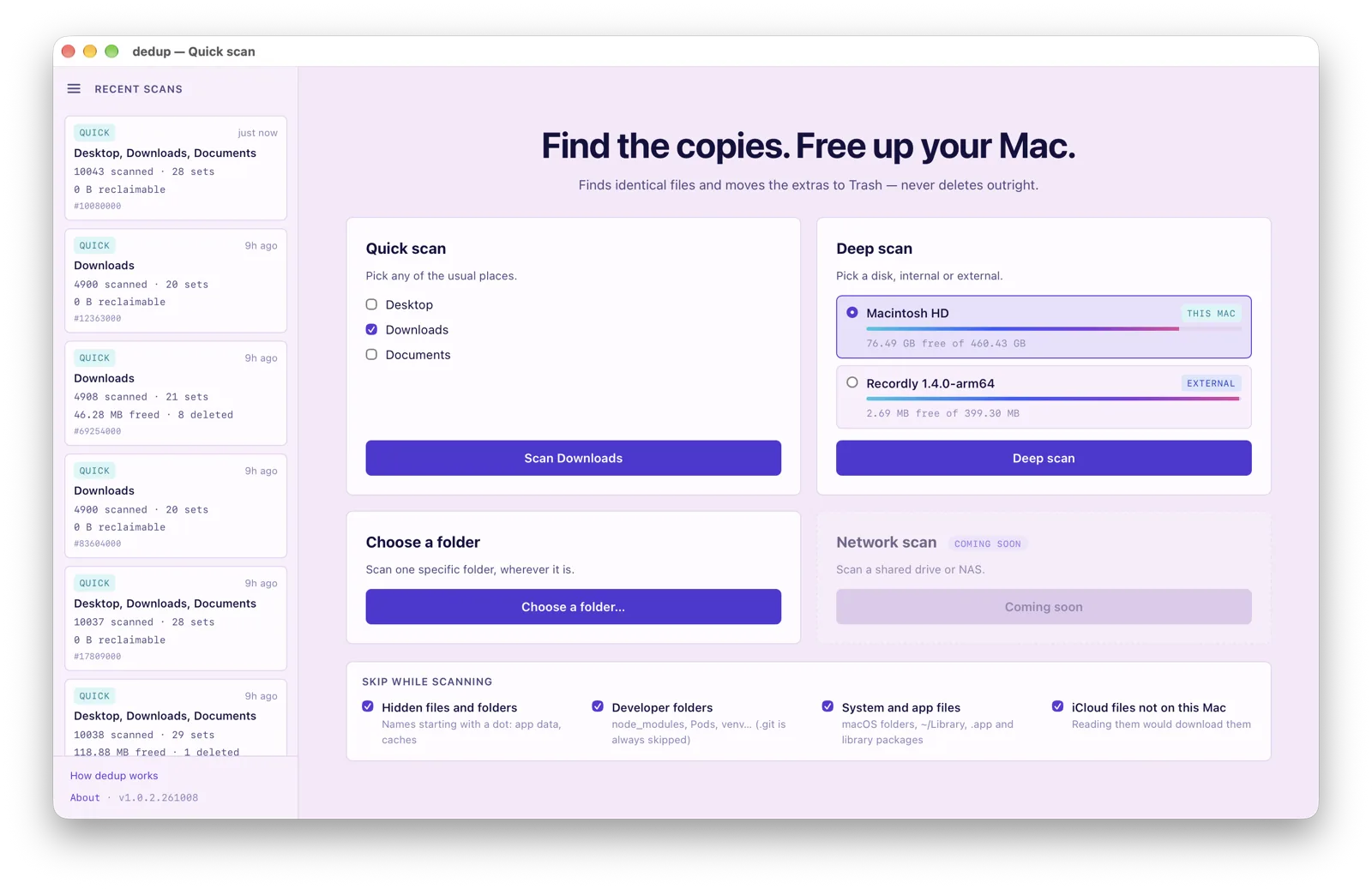
Start with a quick scan, or go deep.
Tick Desktop, Downloads and Documents for a one-click quick scan, or pick a disk or folder. Your recent scans sit on the left, and the skip list keeps hidden, developer and iCloud-only files out of the way.
03
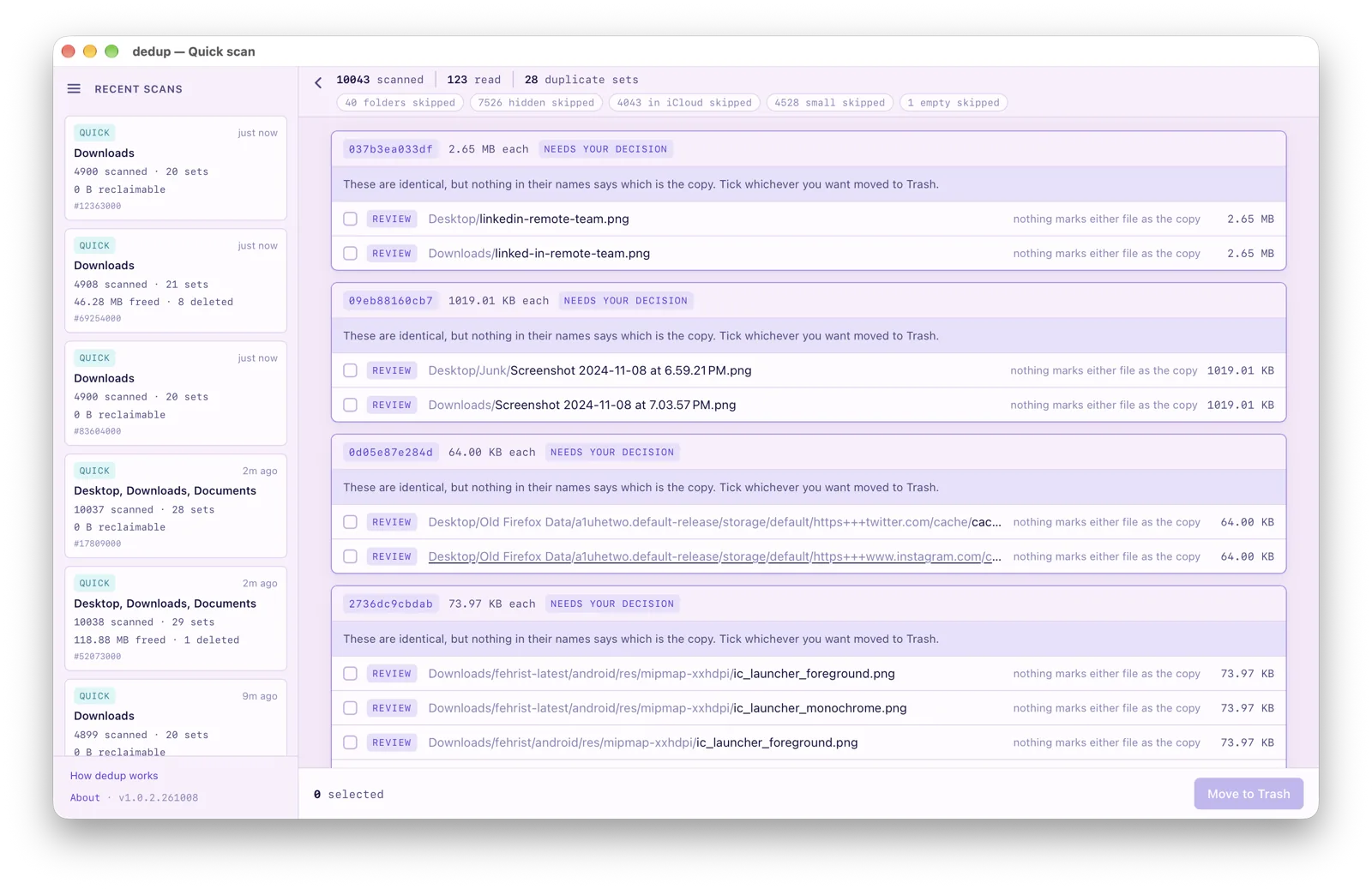
Review what it found, then decide.
Identical sets are listed with sizes and checksums. When nothing says which file is the copy, dedup marks the set “needs your decision” and leaves every box unticked. Nothing moves until you press Move to Trash.
04
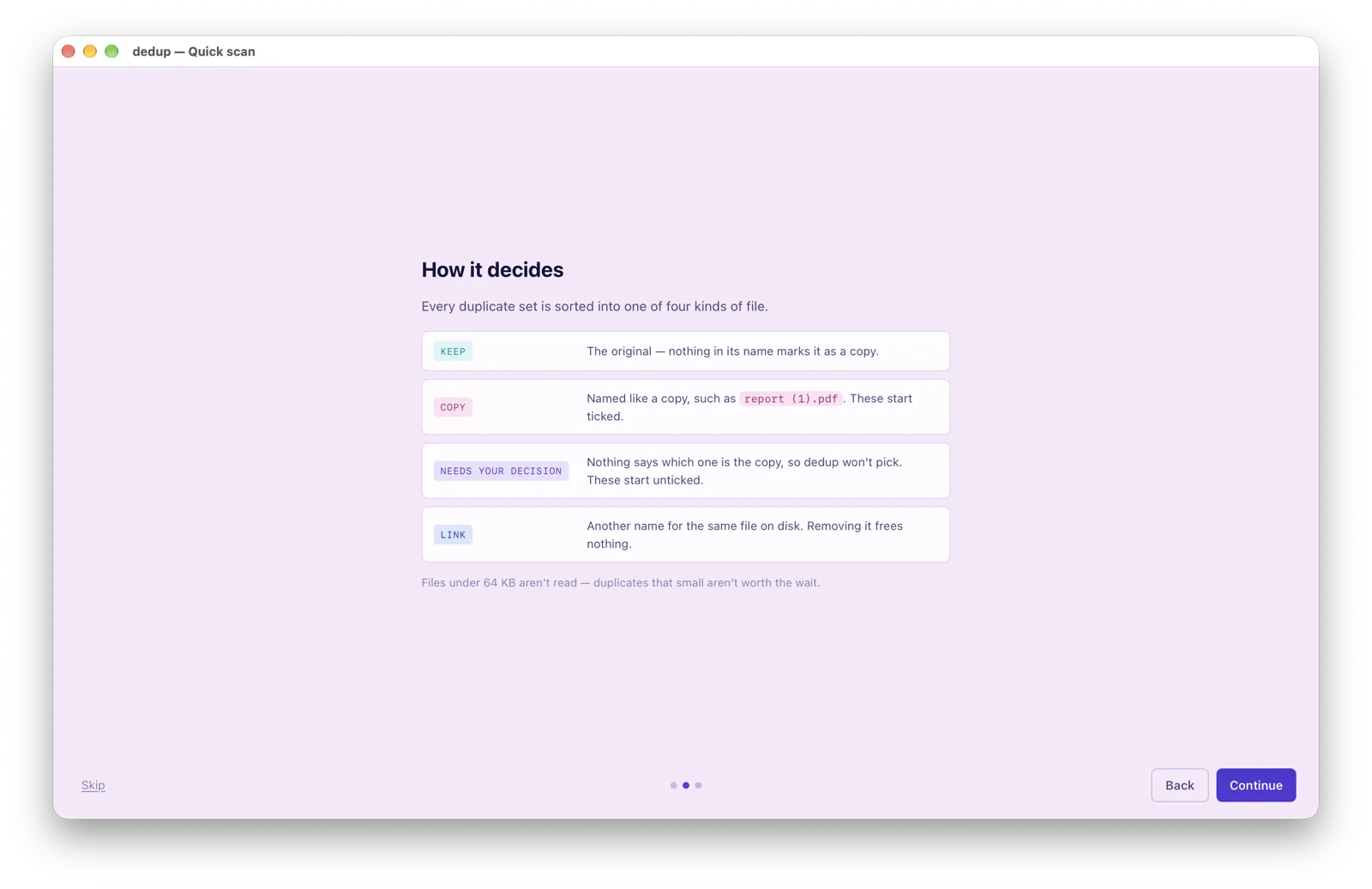
Every file gets one of four labels.
Keep, Copy, Needs your decision, or Link. Only a file named like a copy, such as report (1).pdf, starts ticked.
05
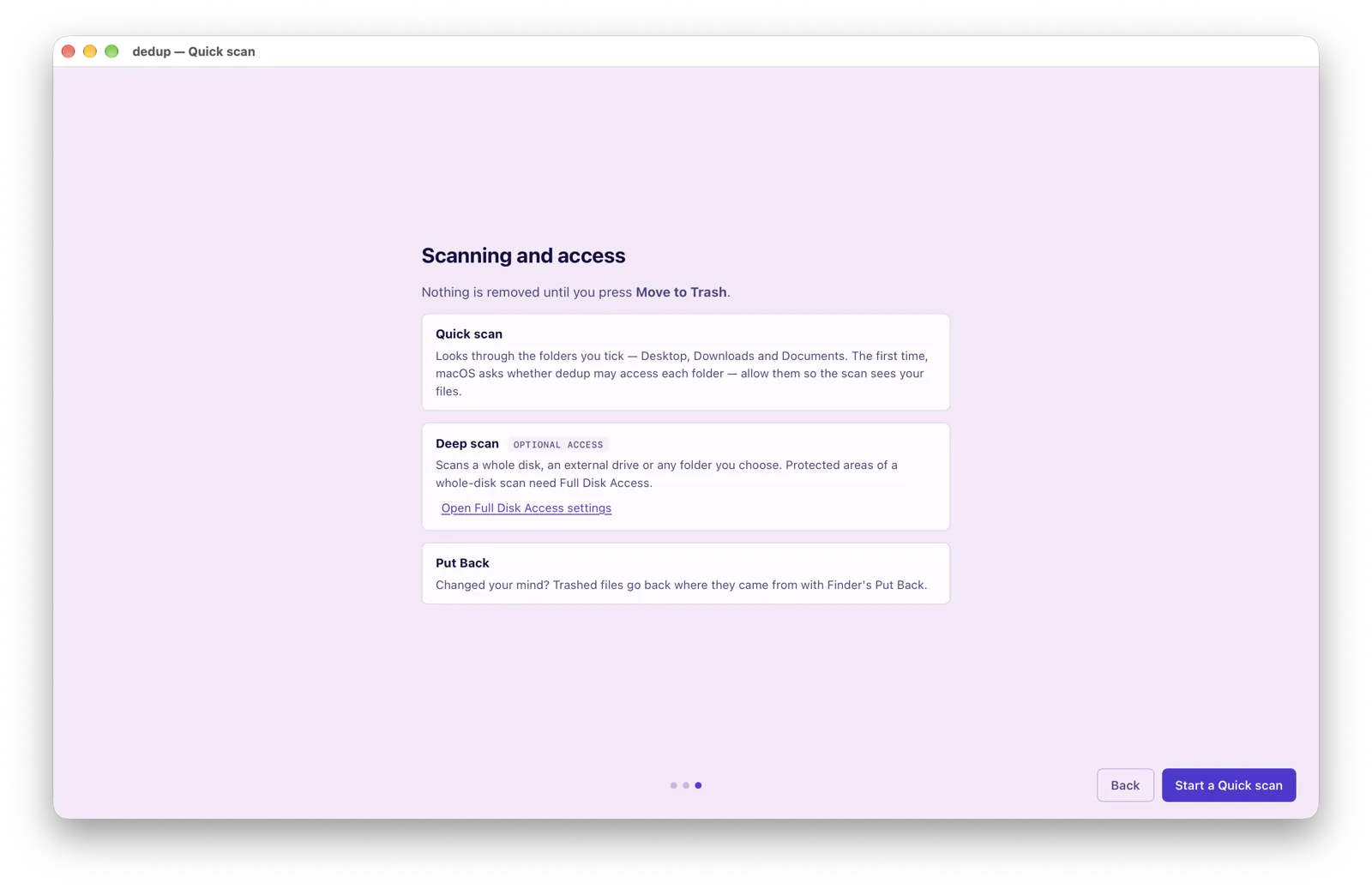
Clear about access, and about undoing.
macOS asks once per folder. A deep scan of a whole disk can use Full Disk Access, which is optional, and anything trashed can be restored with Put Back.